
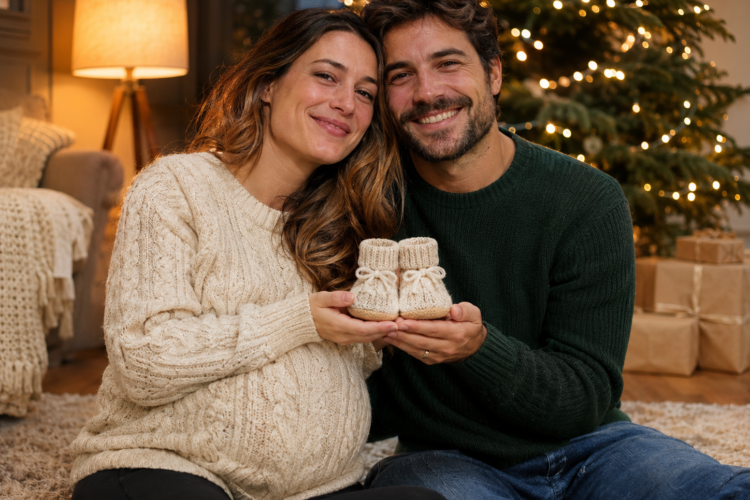
You just found out you’re expecting, and Christmas is only weeks away. The tree is up and the lights are glowing. Now you want a photo that tells everyone the news. A professional session can be hard to book in December, and it can cost more than you planned. The good news is that your living room already has most of what you need.
This guide from Happy Parenting Life walks you through a full Christmas pregnancy announcement photoshoot at home. You’ll find timing advice, a simple equipment list and a lighting setup. You’ll also get phone settings, a shot list, comfortable poses and the mistakes that most often spoil holiday photos. If you still need concepts, browse our Christmas pregnancy announcement ideas first. Then come back here to shoot them.
The short answer: To plan a Christmas pregnancy announcement photoshoot at home, choose a date soon after decorating and shoot in the early evening. Turn off overhead lights, let the tree glow and add one soft lamp. Set your phone on a tripod with a timer or remote. Follow a short shot list, keep poses comfortable and edit lightly before sharing.
When Is the Best Time to Take Christmas Pregnancy Announcement Photos?
The best time for a Christmas pregnancy announcement photoshoot is the first or second week of December, in the early evening. That timing gives you a decorated home and a few days to edit. It also leaves enough time to print cards or plan a Christmas Day reveal.
Time of day matters more than most people expect. Tree lights look brightest when the room is dim. Try to shoot 30 to 60 minutes after sunset. At that point, the window still adds a little blue light, but the tree does most of the work. Shooting after full dark works too. You’ll just rely more on a lamp.
Many couples also think about how far along the pregnancy is. Some people prefer to wait until after an early prenatal visit before sharing the news widely. According to MedlinePlus, most miscarriages occur during the first seven weeks of pregnancy. There is no single right week to announce. You can take the photos now and decide later when to share them. That choice belongs to you and your partner.
If you plan to mail holiday cards, work backward from your send date. Printing takes time, and mail slows down in December. Finishing the photos by mid December gives you breathing room.
What Equipment Do You Need for a DIY Christmas Announcement Shoot?
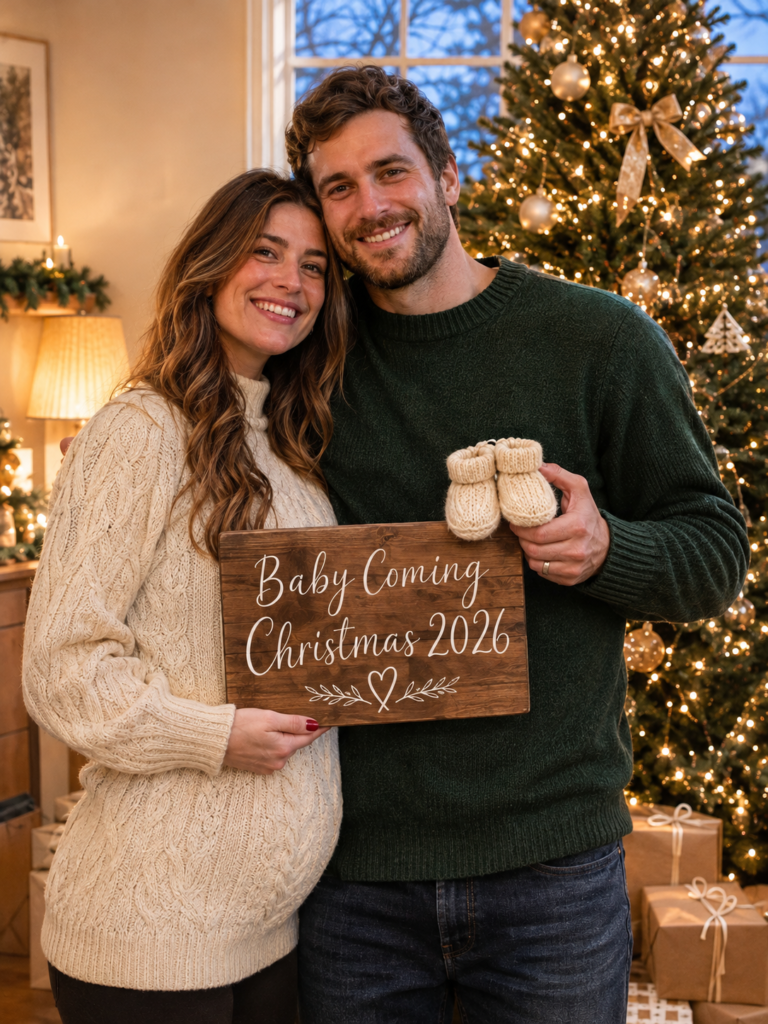
You need very little equipment for a Christmas pregnancy announcement photoshoot at home. A recent smartphone, a small tripod and a way to trigger the shutter from a distance cover the basics. Everything else is optional.
Equipment checklist:
- Smartphone or camera with a portrait mode
- Phone tripod, ideally one that reaches chest height
- Bluetooth remote or the phone’s own timer
- One lamp with a warm white bulb
- A white sheet, poster board or foam board to bounce light
- Lint roller for sweaters and dark clothes
- Clothing steamer or iron
- Painter’s tape to mark where you stand
- Phone charger and free storage space
A tripod makes the biggest difference. Leaning a phone against books works in a pinch, but the angle often shifts between shots. A remote helps too. It removes the stiff look that comes from rushing back into place after pressing the timer.
How Should You Set Up Your Living Room for the Shoot?
Set up your living room by clearing the area around the tree, placing yourselves a few feet in front of it and positioning the camera so the background stays simple. A tidy frame keeps attention on your news. Nobody should notice the laundry basket or a tangle of cords.
Start with a quick sweep of everything the camera will see. Move remote controls, toys, shoes and cables out of the frame. Tuck light cords behind the tree skirt. Straighten any crooked ornaments at eye level, since those show up most.
Next, think about distance. Stand about four to six feet in front of the tree. At that distance, the lights turn into soft glowing circles, often called bokeh, while you stay sharp. Standing right against the branches flattens the image and makes the lights look busy.
Safety belongs in your setup too. Keep the lamp and any heat source well away from the tree. Skip real candles near branches and garland, since battery candles give the same glow. The National Fire Protection Association’s winter holiday safety tips cover tree care and decorations in more detail.
How Do You Make Christmas Lights Glow in Photos?
Christmas lights glow best in photos when overhead lights are off and the tree is the brightest thing in the room. Ceiling lights flatten the scene. They also cast harsh shadows under the eyes.
Turn off the ceiling lights first. Then place one warm lamp to the side of you, about 45 degrees off center. Hold a white sheet or foam board on the opposite side to bounce light back onto your faces. This simple setup keeps skin tones warm while the tree still sparkles.
Check the first test photo closely. If faces look orange, move the lamp farther away or lower its brightness. If faces look too dark, bring the lamp closer before raising the phone’s exposure.
Which Phone Settings Help Most?
The most helpful phone settings for a Christmas announcement photo are portrait mode, exposure lock and gridlines. These three settings control background blur, brightness and framing.
- Portrait mode blurs the tree lights behind you. Use it for couple shots and close details.
- Exposure lock stops the phone from changing brightness between shots. Tap and hold on a face to lock it. Then slide brightness down slightly if the lights look washed out.
- Gridlines help you keep the tree straight and the frame level.
- The 2x lens, if your phone has one, flatters faces more than the wide lens. It also makes the background look fuller.
- Night mode helps in very dark rooms. Everyone needs to hold still for a few seconds, though.
Avoid digital zoom, because it softens detail. Move the tripod closer instead.
The Shot List: 10 Christmas Pregnancy Announcement Photos to Take
A shot list keeps your Christmas pregnancy announcement photoshoot short and focused. Work from detail shots to couple shots to candids. Details need no posing, so they give you time to warm up.
- Sonogram on a branch. Clip your ultrasound printout to the tree with a small wooden clothespin, framed by lights.
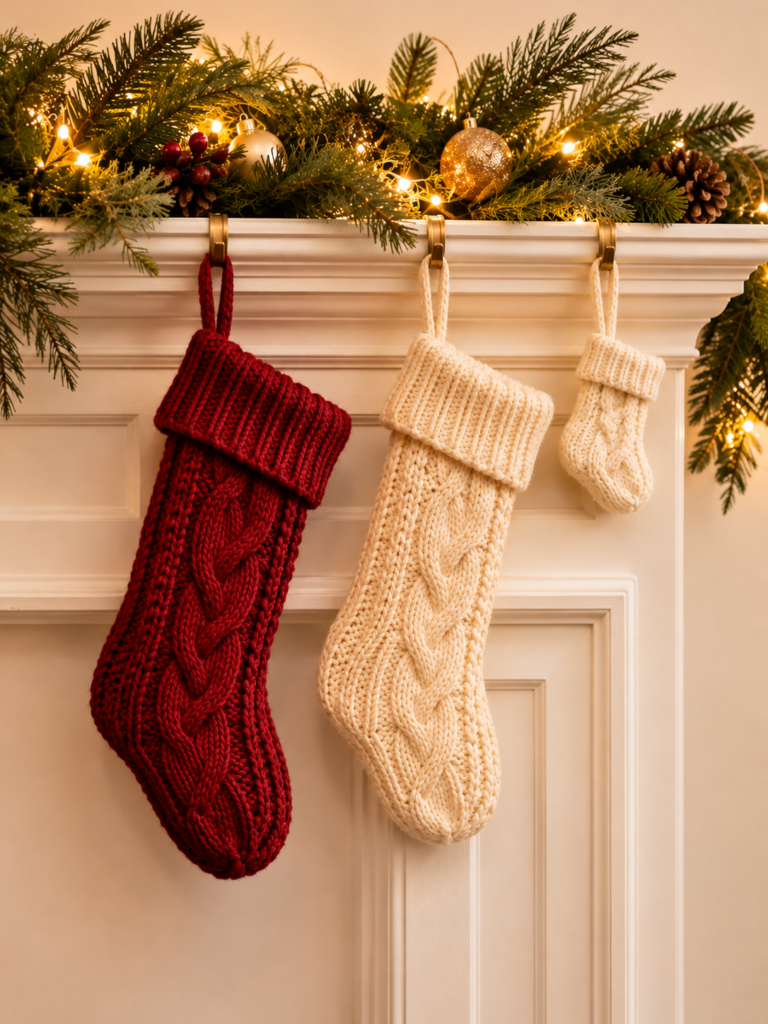
- Tiny stocking. Hang a baby stocking beside yours on the mantel or a stair rail. Photograph the whole row.
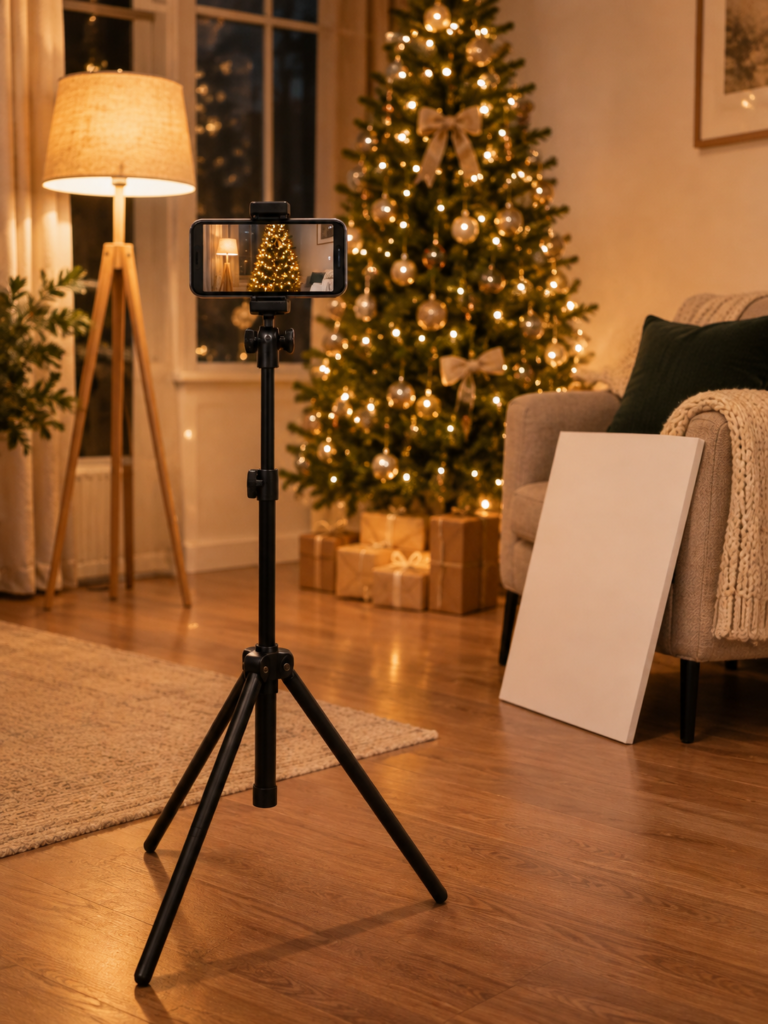
- Booties in your hands. Hold baby booties or a newborn hat together, with the tree blurred behind you.
- Wide couple shot. Stand side by side in front of the tree. Leave space above your heads if you want text on a card.
- Forehead touch. Face each other, close your eyes and lean in. This pose feels natural for couples who feel shy on camera.
- Letterboard or sign. Hold a short message with your due month. One or two lines read best on a phone screen.
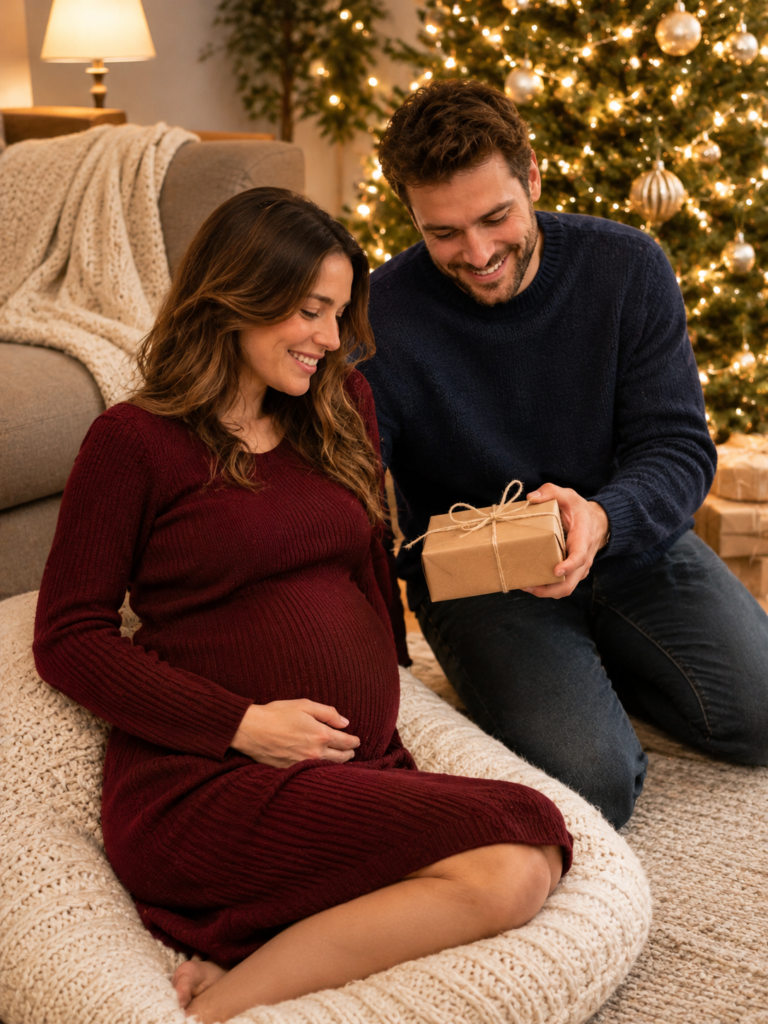
- Gift box reveal. Open a wrapped box holding a onesie or the sonogram. Use burst mode to catch the moment the lid lifts.
- Three mugs. Set two full mugs and one tiny cup on a table near the tree.
- Hands over the belly. If you have a visible bump, rest both hands there. If not, pair a hand on your waist with a prop like booties.
- Candid outtake. Keep shooting after the planned pose ends. Laughing outtakes often become the favorite.
A quick note on the sonogram: use the image from your prenatal care appointment. Extra scans just for keepsakes aren’t recommended. UPMC explains why keepsake ultrasounds are best avoided and notes that most people have at least one medical ultrasound during pregnancy anyway.
Which Props Work Without a Big Budget?
The best budget props for a Christmas pregnancy announcement are things you already own or can buy for a few dollars. Baby items, ornaments and wrapping supplies do most of the storytelling.
Low cost prop ideas:
- A single newborn outfit or knit hat
- Baby booties or tiny shoes
- A personalized ornament with “Baby” and the due year
- A small stocking with “Baby” written in paint pen
- Kraft paper, twine and a plain gift box
- A chalkboard or letterboard
- Matching pajamas or sweaters for the family
- A bandana for a furry big sibling
Choose two or three props for the whole shoot. Too many props compete for attention. They also make the news harder to spot in a small social media preview.
What Poses Stay Comfortable During Pregnancy?
Comfortable poses for a pregnancy announcement keep your weight balanced and don’t hold one position for long. Sitting, leaning and gentle standing poses work well in any trimester.
Poses to try:
- Seated on the floor by the tree, legs tucked to one side, with a pillow under you
- Sitting on an ottoman or couch arm, with your partner standing behind you, hands on your shoulders
- Standing side by side, with weight shifted to your back foot to relax your posture
- Partner behind you, arms wrapped around you, both of you looking down at a prop
Take breaks between setups. Keep water nearby and sit down whenever you need to. Skip anything that involves climbing, such as standing on a step stool to reach a high branch. Let your partner handle that part.
If you feel dizzy, overheated or uncomfortable, stop the shoot. The photos can wait. Contact your healthcare provider if any symptom worries you.
How Should You Edit and Share the Photos?
Edit your announcement photos lightly so skin tones stay natural and the lights keep their warm glow. Then crop each image for the place it will appear.
Simple editing steps:
- Pick your top five photos before editing anything.
- Adjust brightness and warmth so all five match.
- Lower highlights if the lights look washed out.
- Straighten the tree using the grid overlay.
- Crop to 4:5 for Instagram feeds, 9:16 for stories and 5:7 for most printed cards.
Think about who hears the news first. Many families tell parents and close relatives in person before posting online. Our list of grandparent announcement gift ideas pairs well with a printed photo from your shoot. When you’re ready to post, our social media pregnancy announcement ideas offer caption and format inspiration.
Keep the photos private until then. Move them to a hidden album. Pause any shared photo streams with relatives so the surprise doesn’t slip out early.
Common Mistakes to Avoid
The most common mistakes in a DIY Christmas announcement shoot are poor lighting, a cluttered background and too many props. Each one is easy to fix before you press the shutter.
- Leaving overhead lights on. The tree loses its glow and faces look flat.
- Standing too close to the tree. The background turns busy instead of soft.
- Wearing busy patterns. Small prints can shimmer oddly on phone cameras. Solid colors photograph better.
- Skipping a sign check. Read the spelling and dates twice. A typo in the due month is hard to fix later.
- Rushing the timer. Use a remote, or a 10 second timer plus burst mode.
- Starting with a low battery. Night mode and bursts drain power fast.
- Skipping a test shot. Take one frame first and zoom in to check for glare and blinks.
- Posting before telling close family. A relative who learns the news online may feel left out.
Sample Timeline for a One Evening Shoot
A Christmas pregnancy announcement photoshoot at home takes about 90 minutes from setup to wrap. This sample timeline assumes a 5:00 p.m. sunset.
| Time | Task |
|---|---|
| 4:30 p.m. | Tidy the frame, set up the tripod and charge the phone |
| 4:50 p.m. | Get dressed and lint roll clothes |
| 5:15 p.m. | Detail shots: sonogram, stocking, booties and mugs |
| 5:35 p.m. | Couple shots in front of the tree |
| 5:55 p.m. | Letterboard and gift box shots |
| 6:10 p.m. | Candids and outtakes |
| 6:20 p.m. | Review photos and retake anything blurry |
Adjust the schedule to your local sunset. Sunsets come early in December, so check your weather app for the exact time.
Frequently Asked Questions
How many weeks pregnant should you be for a Christmas pregnancy announcement photoshoot?
You can take Christmas announcement photos at any point in pregnancy. Some couples shoot early and wait to share until after a prenatal visit or until they feel ready. A visible bump isn’t needed. Props like booties, a sonogram and a tiny stocking tell the story clearly in the first trimester.
Can I take good pregnancy announcement photos with just my phone?
Yes, a recent smartphone can take excellent announcement photos. Use portrait mode, lock exposure on your face and keep the phone steady on a tripod. Turning off overhead lights and adding one warm lamp improves results more than switching to an expensive camera.
What should couples wear for Christmas announcement photos?
Solid colors such as deep green, burgundy, cream, camel or navy photograph well against tree lights. Coordinate your colors rather than matching exactly. Choose soft knits or flowing dresses that feel comfortable for sitting and standing. Skip large logos and tiny patterns, which pull attention from the announcement.
Is it better to hire a photographer for a Christmas pregnancy announcement?
A photographer is worth it if you want polished images and have room in your budget, but December dates fill quickly. A DIY shoot works well for a simple, personal announcement. Some couples do both. They take DIY photos for the reveal and book a maternity session later in pregnancy.
How do we keep the photos a secret until Christmas?
Move the photos to a hidden or locked album right after the shoot. Pause any shared albums or digital frames that sync automatically with relatives. If you order printed cards, ship them to your own address first. That way nobody opens a surprise early.
Can we include our older child or pet in the photoshoot?
Yes, older siblings and pets make sweet additions to an announcement photo. Schedule their shots first, while patience is still high. Keep their part short and offer a small reward. Give a child one simple job, like holding the sign. Keep pets away from tree cords, ornaments and small props.
Ready to Plan Your Shoot?
A Christmas pregnancy announcement photoshoot doesn’t need a studio or a big budget. A dim room, a glowing tree, a steady phone and a short shot list will give you photos to treasure. Pick your date, gather two or three props and give yourselves an unhurried evening together.
Need a few more concepts before you start? Browse our 30 Christmas pregnancy announcement ideas and choose the ones that fit your family best.